That 30% AI Boost Isn’t About Code. It’s About Communication.
7th October 2025
I’ve built and scaled dev teams for over 15 years – here’s something I’ve learned the hard way: adding more developers doesn’t make them faster. Most of the time it makes them slower.
Remember the handshake problem from maths class? If 5 people need to shake hands with everyone else it’s 10 handshakes. If 10 people do it that’s 45 handshakes.
Now think of the handshakes as communication channels. When you’ve got a 10 person team there are 45 potential communication channels. Meetings about meetings. Slack messages about who’s working on what. Merge conflicts. Code reviews that need three people to sign off.
Why 30% Efficiency Actually Matters
There are lots of numbers out there claiming that AI coding tools give you about 30% better efficiency per developer, focusing on the code output. That sounds nice. Here’s why it’s a much bigger impact than just the code:
Let’s say you’ve got a 10 person team. They need 45 communication channels to stay coordinated. You’re thinking about hiring 3 more people to handle the workload. If AI makes each developer 30% more productive you’ve got the same capacity as 13 people without hiring anyone. Your communication channels? Still 45. Not 78.
That’s the bit people miss – you’re not just getting more code written. You’re avoiding the coordination tax that comes with growth.
Math
Let’s put numbers on it. You need the output of 13 developers. You’ve got two options:
Cost: 10 salaries plus AI tools (fraction of a salary)
Option 2 makes more sense. You’re not just 30% faster. You’ve avoided 33 extra communication channels. That’s 33 fewer ways for things to go wrong. The financial case is also compelling
What This Means in Practice
I’m not saying AI replaces developers. I’m saying it changes the economics of team size.
I’ve built teams to handle Shopify integrations, payment processors, inventory systems etc. Complex stuff. Before AI if I wanted to increase development velocity the only answer was to hire more developers. Now that isn’t the case anymore.
Smaller teams communicate better. They ship faster. There’s less “I didn’t know you were working on that” and more “let’s build this.”
And when you do need to scale? Add 2 people instead of 5. Keep the team tight. Keep the communication clear.
The Bit Nobody Talks About
Measuring communication overhead is hard because it’s not just about the hours spent in meetings.
It’s the mental load of tracking who’s doing what. It’s the merge conflicts because someone didn’t know you’d touched that file. It’s the architectural decisions that need buy-in from 8 people instead of 4.
When AI handles the grunt work (boilerplate code, test generation, documentation), your developers can focus on the hard problems. The ones that actually need human judgement.
Fewer people need to be involved in those decision because the teams smaller. The teams smaller which means the communication channels are more manageable.
Final Thought
If you’re running a team of developers and wondering why everything feels slow, look at your communication overhead first.
Then ask: could AI tools help us do more with fewer people? Not “let’s sack people.” But “could we achieve our goals without hiring the next 5 people we planned?”
I’ve been doing this for 15 years. I’ve built teams from 3 people to 30. The teams that ship best are the ones that stay small, stay focused, and don’t drown in coordination overhead.
That 30% efficiency gain isn’t just about code output. It’s about keeping your team small enough to actually work together.
Comments
AI Images That Don’t Look Like AI Made Them
26th August 2025
I’ve been playing with AI image generation quite a lot……
You can tell an AI generated image when you see one. They have that obvious look with weird skin textures and oversaturated colors that scream “a computer made this”.
In July 2025 Black Forest Labs and Krea AI built this 12-billion parameter model specifically to solve that problem. Instead of training on millions of random images like other models they used fewer than a million carefully picked samples. Their goal was to focus on quality over quantity. It generates images with accurate skin textures, natural lighting, and dynamic compositions that lack the waxy, oversaturated appearance typical of AI generated images.
It gets an ELO rating of 1011, which matches the expensive closed-source models but you can use it without needing to spend a fortune.
In the steps below I will show you how to use the model on Hugging Face, using Claude……
I’m assuming you have a Claude account and know your way around the interface. You will also need a free Hugging Face account.
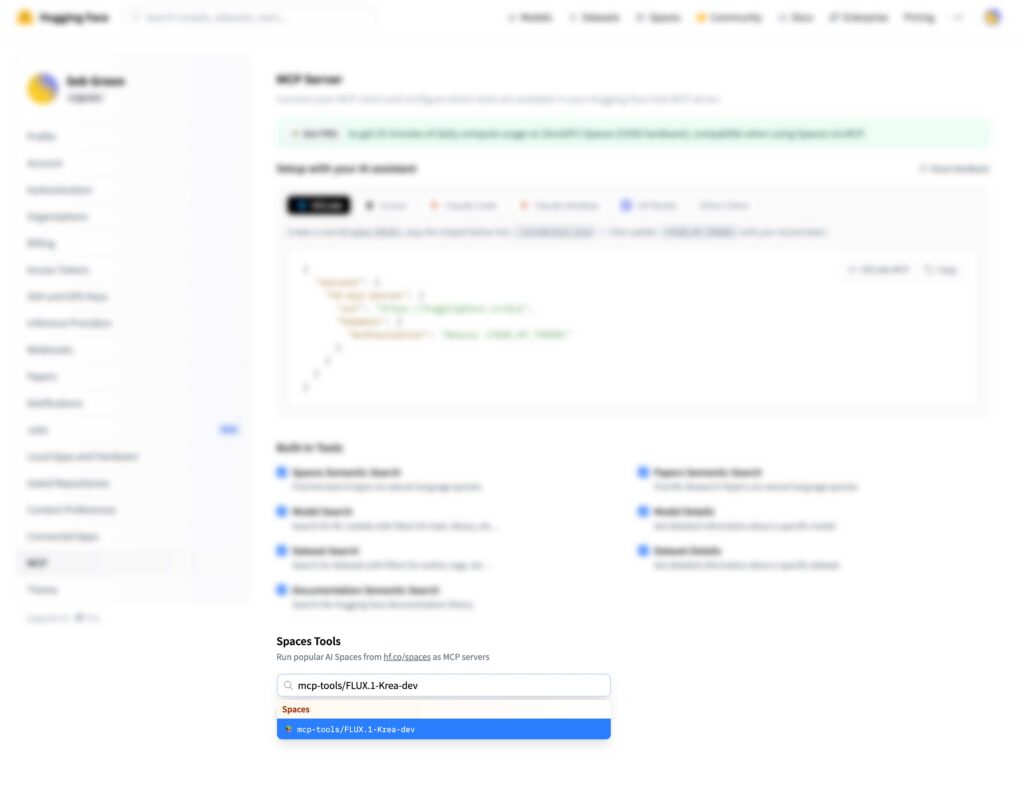
Once you have logged in, go your your settings page and select MCP from the left hand menu. In the Space Tools section at the bottom search for and add mcp-tools/FLUX.1-Krea-dev
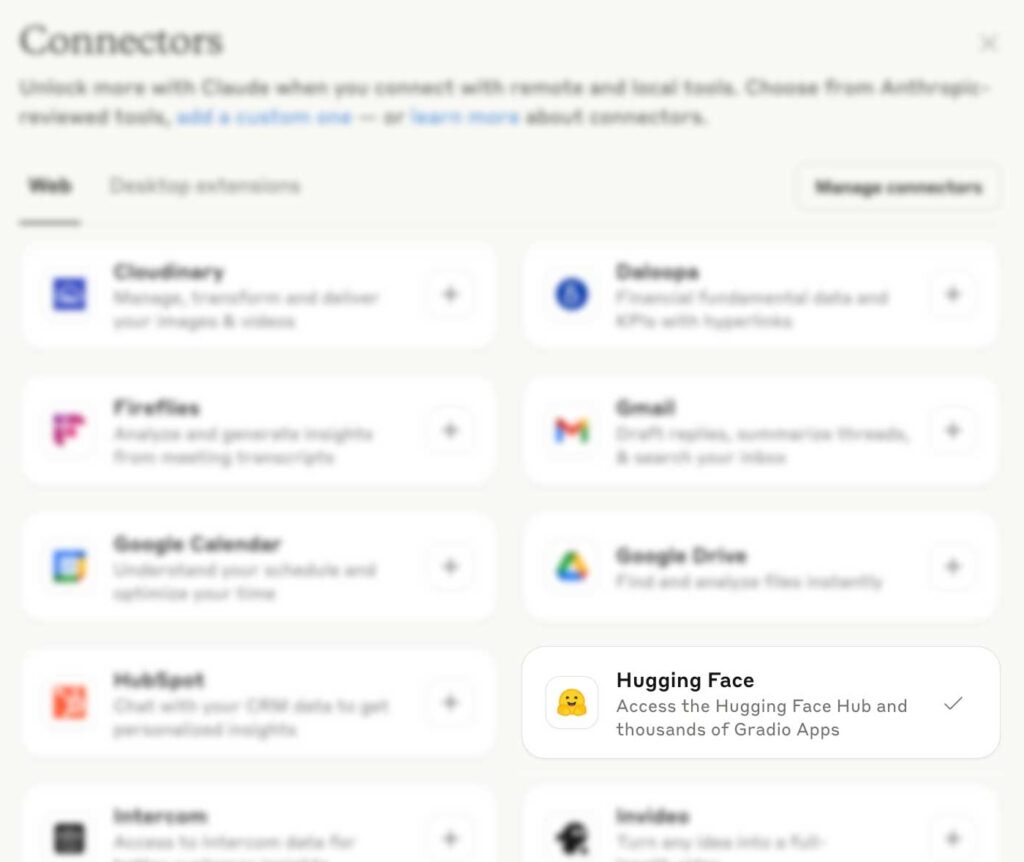
Once that’s added move over to Claude where you will need to add the connection to Hugging Face.
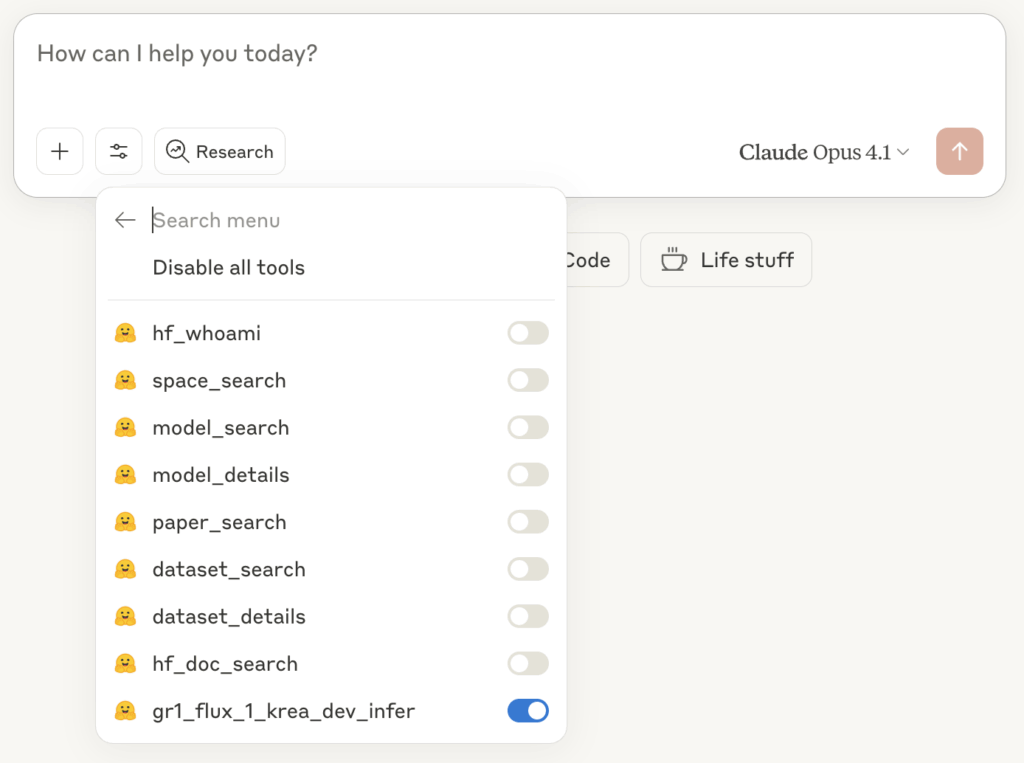
Once that’s connected and autheitcaed you shoud now see Hugging Face appear in the prompt settings. Make sure you have the the model enabled or Claude won’t be able to use it.
Now you shuold be able to write a prompt in Claude and have Flux.1 Krea generate the image. You will most likley get a permission prompt asking for permission to use the external service. Obviously click allow….
Claude is pretty smart at selecting the mode, but just to make sure include “Use Krea on Hugging Face” in your prompt.
Below are some prompts I tried and the images that were generated……
Example 1
Prompt: Using Krea in Hugging Face generate sunrise photo of a rolling country landscape in the UK.
Example 2
This one is interestng as I provided a second prompt and Claude adapted the prompt it sent to Krea to adapt the image.
Prompt 1: Using Krea on Hugging Face, generate a 1980’s nostalgic New York sunset scene looking over the city showing cars and people walking in both directions.
Prompt 2: Less people. Shot from the sidewalk, not the middle of the street. Make it more cinematic, like it was shot on an old 1980’s camera.
Example 3
Prompt: Using Krea on Hugging Face, generate a photo of a Porsche 911, 997 generation in Seal Grey. Show the car mid corner at speed on a countryside road.
As you can see above, using some very basic prompts I was able to genreate some really good images. All for free. Are they perfect? No. Are they better than the output of lots of other models? Yes.
What I found really intersting was the way that Claude was helpful in adapting the prompt it send to the Krea model. You can have a real back and forth, itterative process of improvment untill you get the right image.
It’s also worth noting that I set this up in the Claude Mac app but I can also make use of it in the iOS app and Claude in the browser.
Comments
Hiring Developers When Everyone Has ChatGPT
12th August 2025
Recruiting developers has never been easy. But throw AI into the mix and everything becomes harder.
I’ve hired dozens of developers over the years. And I’ve made mistakes. Lots of them.
Traditional coding interviews are broken. Live coding sessions stress people out so much that good developers choke. Their code looks terrible even though they’re capable. But home based tests? They’re just as flawed now because anyone can use ChatGPT or Claude to write perfect code.
So what do we do?
The Problem
When you give someone a coding task to complete at home, you have no idea if they actually wrote the code. Maybe they used AI. Maybe their friend helped. Maybe they copied it from Stack Overflow. You just don’t know.
But when you put them in a room and say “code this for me right now,” you get artificial pressure. Their brain freezes. They forget basic syntax. They make silly mistakes they’d never make normally.
Neither approach tells you if they can actually do the job.
What Works
I found something better. Give them code to write at home. But then have them walk through it with you in the interview.
This approach comes from looking at how other smart CTOs handle hiring. The best method combines both worlds. You get the benefit of letting people work in a comfortable environment without time pressure. But you also get to see if they truly understand what they built.
How It Works
Send them a coding task before the interview. Something relevant to your actual work. Give them enough time to do it properly.
Then in the interview, ask them to explain their code. Walk through it line by line. Ask about their choices. Why did they structure it this way? What tradeoffs did they consider? How would they handle edge cases?
If someone just copied AI code without understanding it, they won’t be able to explain the thinking behind it. They’ll stumble when you ask about specific decisions. But if they used AI as a starting point and then understood and refined it, they’ll talk confidently about the changes they made and why. Good developers who use AI will say things like “I started with this approach from ChatGPT but then modified it because…” They own the code even if they didn’t write every line from scratch.
What to Look For
Good developers love talking about their code. They’ll explain their reasoning. They’ll mention alternative approaches they considered. They’ll point out parts they’d improve given more time.
People who didn’t write the code will give vague answers. They’ll say things like “I thought this was the best approach” without explaining why. They can’t discuss the alternatives because they never thought about them.
The Benefits
This method respects everyone’s time. Developers get to work in their normal environment with their tools. You get to see how they actually think about problems.
It filters out people who just used AI without understanding anything. But it doesn’t punish people for using AI as a tool – which is what good developers do anyway.
You also learn how they communicate about technical topics. Can they explain complex ideas simply? Do they think about the user impact? These things matter as much as coding ability.
Making It Fair
Not everyone has existing code they want to share. Some people work on proprietary systems. Others are new to the field. That’s fine – just give them a reasonable task that won’t take more than a few hours.
Keep the task relevant to what they’d actually do in the role. Don’t ask them to implement a red-black tree if you’re hiring for web development. Give them something that mirrors real work.
The Time Investment
Yes, this takes more of your time as the interviewer. You need to actually read their code and prepare thoughtful questions. But hiring wrong costs way more than spending an extra hour in interviews.
Good developers appreciate when you take the time to understand their work instead of putting them through arbitrary coding challenges.
Why This Matters Now
AI isn’t going away. If anything it’s going to get better at writing code. We need to adapt our hiring practices now.
The developers you want to hire are already using AI tools to be more productive. They’re not trying to hide it – they’re using it intelligently to solve problems faster.
The trick is finding people who can work with AI effectively versus people who just copy and paste without understanding.
Bottom Line
Stop trying to catch people cheating with AI. Start looking for people who can use all available tools to solve real problems and then explain their thinking clearly.
Give them code to write at home. Then have them teach you how it works. The best developers will love this approach. The ones who can’t explain their own code? You didn’t want to hire them anyway.
That’s how you hire developers in 2025. Not by fighting against AI, but by working with the reality that it exists.
Comments
AI Can Write Code – Humans Make the Code Work
4th August 2025
Here’s the thing about AI code – it’s not some magic solution that’s going to replace developers. And it’s definitely not something you want to trust blindly.
AI code has problems. It can create security holes you never saw coming. It might work fine for simple tasks, but throw something complex at it and you’ll get messy, hard-to-maintain code. Plus, AI doesn’t understand your business logic or why certain decisions were made years ago.
I’ve watched teams try to shortcut their way to success with AI-generated code. They copy and paste without reading it. They skip code reviews because “the AI wrote it, so it must be good.” This is how you end up with applications that break in weird ways or expose customer data.
The problem isn’t that AI writes bad code on purpose. It’s that AI doesn’t think like a human. It can’t consider edge cases that come from real-world experience. It doesn’t know that your payment system acts up on the first Monday of every month, or that your database gets slow when marketing runs their big campaigns.
But here’s where it gets interesting. Put AI code in the hands of a skilled developer, and suddenly you have something worth talking about. The developer knows what to keep, what to throw out, and how to fix the rough edges. They can spot the dangerous parts before they become real problems.
I’ve seen good developers use AI to handle the boring stuff – writing basic functions, generating test cases, or creating starter templates. This frees them up to focus on the hard problems that actually matter. The stuff that requires real thinking and experience.
Smart developers treat AI like a junior programmer who’s really fast but needs supervision. They review every line. They test thoroughly. They ask themselves, “Does this make sense? Is there a better way?” They don’t just accept what the AI gives them.
The best results come when developers use AI as a starting point, not a finish line. Maybe the AI writes 70% of a function, but the developer rewrites the tricky bits. Or the AI suggests an approach, but the developer knows a more efficient way based on their experience with the codebase.
The key word here is “good” developer. Someone who knows enough to question the AI’s suggestions. Someone who can read code and understand what it’s actually doing. Without that human expertise, AI code is just expensive technical debt waiting to happen.
AI code by itself? Dangerous. But mix it with a developer who knows their stuff, and you’ve got a pretty powerful combination. Just don’t expect the AI to do the thinking for you. The human brain is still the most important part of the equation.
Comments
Automation is not AI
23rd July 2025
The tech industry has a branding problem. Every software vendor is slapping “AI” labels on their products. This creates confusion – we need to cut through the noise and recognise a basic truth: automation is not AI, and that’s perfectly fine.
The Hype Cycle is Distorting Reality
Walk into any tech conference today and you’ll hear “AI-powered” solutions for everything. From expense management to inventory tracking. But strip away the marketing speak and you’ll often find well-engineered automation doing exactly what it should. Solving real problems efficiently without the complexity or cost of artificial intelligence.
This mislabelling isn’t just misleading. It’s counterproductive. It inflates expectations, complicates procurement decisions, and undervalues the genuine impact of smart automation.
Real Impact Doesn’t Need AI Labels
Here is a basic example of a tool that was built to tackle invoice reconciliation. A process that was consuming over four days of manual work each month. The solution was straightforward: OCR technology to extract data from last-mile carrier invoices, convert it to JSON format, then cross-reference this data against physical dispatch records from the WMS to identify billing discrepancies.
No machine learning algorithms. No neural networks. No “artificial intelligence.” Just solid automation using OCR and data matching logic.
The result? Those four days of manual reconciliation became minutes of automated processing. Accuracy improved. The finance team could focus on strategic work instead of data entry. It also had the benefit of quickly highlighting shipping option setup issues. The ROI was immediate and measurable.
This is automation at its best.Targeted, efficient, and valuable. Calling it “AI” wouldn’t make it more impressive. It would just muddy the waters.
Why the Distinction Matters
Understanding the difference between automation and AI isn’t academic hairsplitting. It has real implications for technology strategy:
Resource allocation: AI implementations typically require specialised talent, extensive training data and ongoing model maintenance. Automation projects often need traditional development skills and standard infrastructure.
Risk assessment: AI systems introduce unique risks around bias, interpretability and unpredictable outputs. Automation follows deterministic rules with predictable failure modes.
Timeline expectations: Automation can often be deployed quickly with immediate results. AI projects frequently require longer development cycles and iterative improvement.
Cost structures: The operational costs differ significantly. Automation scales predictably. AI often requires ongoing computational resources and expert oversight.
The Right Tool for the Job
This isn’t an argument against AI. It’s a call for precision in our language and thinking. Artificial intelligence excels at pattern recognition, natural language processing, and complex decision-making under uncertainty. It’s transformative for various areas such fraud detection, customer service and predictive analytics. But for many business problems, traditional automation is not just sufficient. It’s superior. It’s more reliable, easier to maintain and cheaper to implement.
When evaluating solutions, ask hard questions:
Does this actually use machine learning, or is it rule-based processing?
What problem is this solving that couldn’t be addressed with traditional automation?
Are the added complexity and costs of AI justified by the specific requirements?
The goal isn’t to avoid AI. It’s to deploy the right technology for each challenge. Great technology solves problems elegantly and efficiently. Whether that’s through automation, AI, or any other approach is secondary to the value delivered. We should celebrate smart solutions regardless of their technical classification, and save the AI label for systems that actually warrant it.
Comments
Wake Up Better
29th January 2020
Bleep bleep bleep ….. bleep bleep bleep …..
You probably hear that every morning when your alarm goes off. That jarring sensation of shock and confusion. Where are you? It is ever so tempting to snooze…..
Bleep bleep bleep ….. bleep bleep bleep …..
Again you are shocked awake by that sound 10 minutes later.
I don’t want to preach about how early I get up but I do want to tell you that 3 years ago I started using a silent alarm & it changed my mornings forever.
Imagine being gently tapped on your wrist to wake up vs being shouted at. You wouldn’t like someone screaming “wake up” at you but that is what you are doing to yourself using an audible alarm. It is called an alarm for a reason – to alarm you and whilst it may be effective, it is not the nicest thing to be awoken by.
I can’t say you won’t be tempted to snooze it but you certainly will prefer being woken up this way. You don’t even need any special hardware.
Got an Apple Watch or Android Wear watch? These have the option for a silent alarm. There are also loads of apps that claim to wake you up at the optimal time. Concerned about battery life? Just change when you charge the watch – maybe put in on charge for an hour before you go to bed to make sure it will last through the night. Put it back on charge in the morning whilst you shower or do your morning routine to make sure it then lasts through the day.
Not got a smartwatch? Most of the Fitbit trackers have a silent alarm feature, as do most of the fitness trackers made by Garmin, Huawei & Xiaomi.
All these online gurus and tutorials sing the praises of how getting up early can increase your productivity, make you healthier & generally change your life for the better. “I can’t get up early as I don’t want to wake my partner” is often given as a reason for why you can’t get up early. With a silent alarm, you won’t disturb anyone……
Give it a go tomorrow morning. You might be surprised by how nice it feels plus that extra time in the morning could really be useful.
Let me know in the comments how it worked for you.
To keep this post simple there was one major issue I was struggling with: Range. The Lightify hub just does not have the range to see bulbs from one side of my house to the other – it even struggled to connect to lights in the next room sometimes. It would work to turn the light on then wouldn’t be able to turn it off later. This was a big disappointment as I had already spent some time working with their API to build my own rules etc. That hub is now sitting on a shelf never to be used again.
I got a Philips Hue hub, but I didn’t pay £50 for it. A colleague at work had a few spare so I bought one from him for £10. It is slightly annoying that this hub needs power and an ethernet connection (that was one nice thing about the Lightify hub only needing to be plugged in to a power socket) – maybe this is what makes its range better as I am now not having any range issues. Setting it up was easy and it can see all my bulbs, even the none Hue bulbs with no issues. The app also has sunset on/off settings right out of the box so the code I wrote to add the functionality to the Lightify hub is not needed anymore.
Following on from my original post about building my own gate sensor, the project has grown into a home automation system. Now I am living in my new house, I want to be able to control some lights (inside & out). All the outside light fittings take GU10 bulbs. The inside fittings are a mixture of the same, plus a few B22 fittings. Feature wise I am not fussed about bulbs which can change color. I just want a decent API for controlling the lights from Node.
My research kept leading me to Philips Hue, but is it so expensive. The hub alone is nearly £50. Just to replace the 8 bulbs outside would cost me a few pennies under £450 (including the hub). I spent quite a while looking for alternatives.
I found Osram Lightify. It is a similar setup to how Philips Hue works – a hub & lightbulbs which communicate via wi-fi. The price is a lot less. The Hub cost me £29.95 & is a lot smaller than the one used by the Hue system.
For the bulbs, I was recommended some by a company called Innr. Their bulbs are actually compatible with both Lightify & Hue systems. The GU10 bulbs are £15.99 each, which gave me a total cost of £157.91 (including the hub) to replace all my outside bulbs. A massive saving over going with the Hue system.
The bulbs work perfectly with the Lightify hub. Currently, I am using them on a time-based schedule set in the Lightify App but have found some Node modules which will allow me to control them in any way I want via my own code.
Check back soon to see how I use Node to control them.
Comments
Building My Own Gate Sensor
26th March 2017
For a while now I have been searching for a cost-effective sensor to put on my garden gate which will send me a push notification when the gate is opened/closed. So far my search has found nothing which is close to what I want.
There is a large selection of SmartThings compatible sensors out there, but they all appear to be from the Japanese or Chinese market and will require some “hacking” to get them to work. Plus I don’t really want to invest into one home automation system over another currently as it is not clear what the future holds for the sector. Will Apple HomeKit become the dominant one or will it be SmartThings? It is far too early to tell.
Having just learned the ins & outs of Node.js for some projects at work, I have decided to build my own.
My plan is to have a sensor on the back gate which can detect when it is open or closed. This will share data with a machine running Node.js which will then trigger an IFTTT Maker Webhook to send a push notification to my phone. The theory of this seems quite simple & it will also be extendable. Carry on reading to find out how.
Hardware
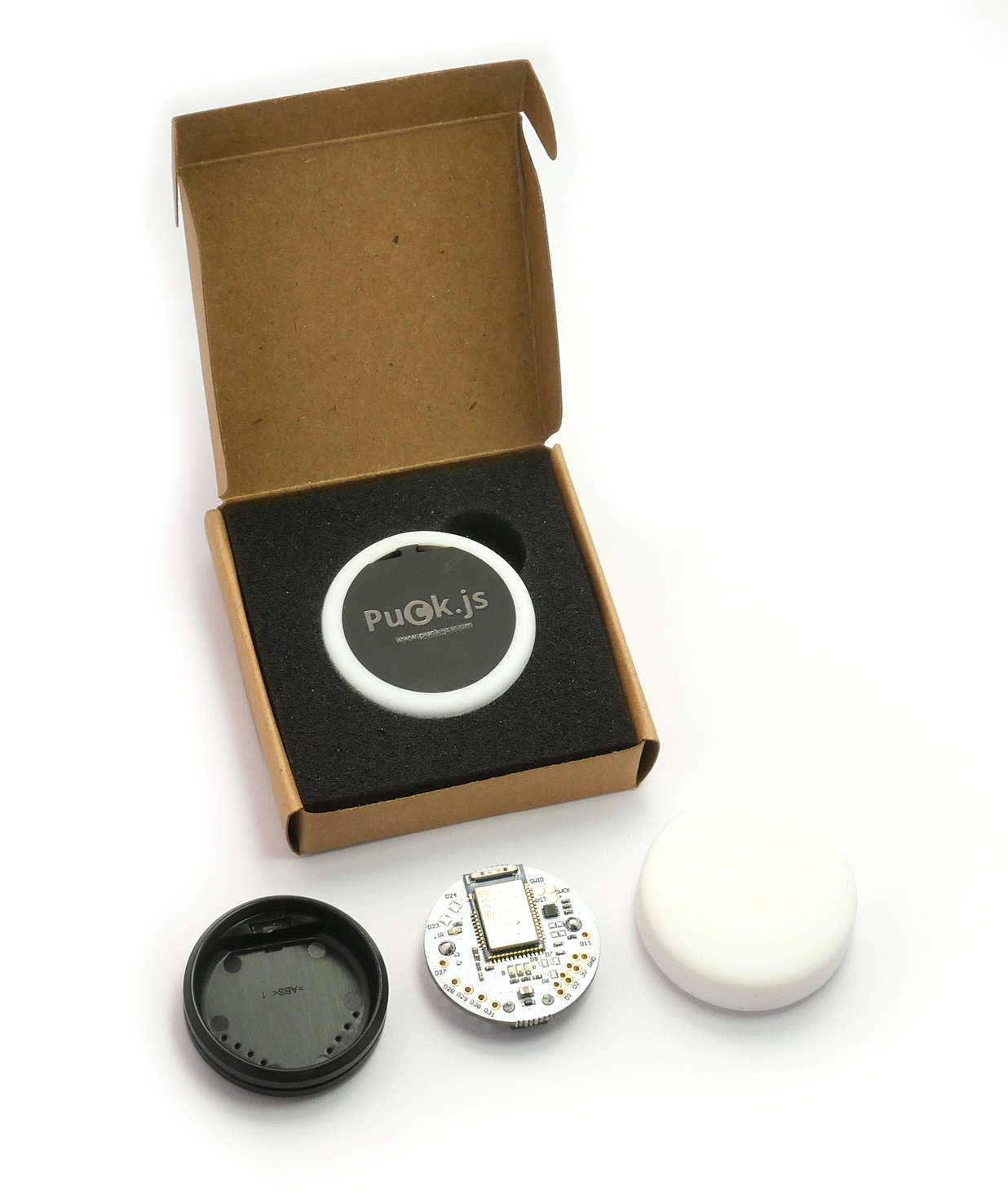
Recently a friend at work told me the look at the Puck.js as it may be useful as the sensor. This small little device runs the Espruino JavaScript interpreter meaning it can be programmed using vanilla JavaScript. It has a selection of sensors already on its small PCB allowing it to measure light, temperature, magnetic fields & capacitance, control infrared devices (IR), produce any color light & it has a tactile switch that turns into one big button. It also has BLE (Bluetooth Low Energy) allowing it to communicate with other BLE devices.
Having a magnetic field sensor & BLE means this will be the ideal sensor – this will be attached to the gate post & a small magnet will be attached to the gate itself. When the magnetic field changes, this is how the gate opening/closing will be detected, which will then trigger a message being sent over Bluetooth.
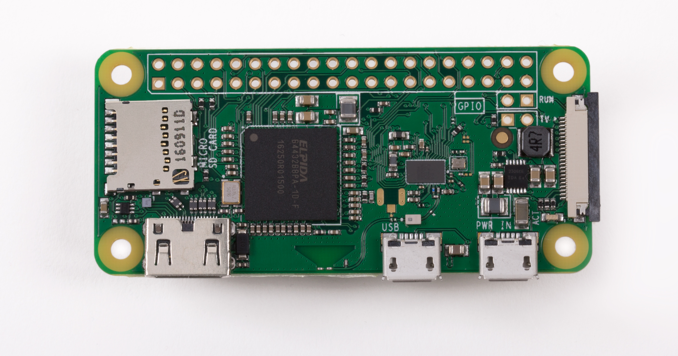
This is the latest in the range of Raspberry Pi boards & it is tiny. It has the same spec as the Raspberry Pi Zero but also has Wi-fi (02.11 b/g/n wireless LAN) & Bluetooth (4.1 + BLE).
The cost, size, and features of this Raspberry Pi make it ideal for this project. It can run Node.js meaning it can be programmed using vanilla JavaScript. It can receive a message from the Puck.js over Bluetooth, then over Wi-fi trigger the IFTTT Maker Webhook to trigger the push notification.
In theory, these two small pieces of hardware will allow me to build a gate sensor which will do exactly what I want. Cost wise, so far I have spent less than £50, which also includes the power supply, case & small adaptors for the Raspberry Pi.
How It Will Be Extendable
The Raspberry Pi will just be a Node.js server which can be programmed to do anything I want. I could buy another Puck.js and use it as a sensor on the front door which would trigger a different push notification.
I could build a web interface running on the Raspberry Pi which will trigger Node.js to send various different messages over Bluetooth. One of these could be to another Puck.js which will then use the built-in IR blaster to control an IR light bulb or switch.
I could add more temperature sensors to a smart thermostat, such as a Nest or Hive, to give more granular heating control. I could place a Puck.js somewhere that I want to monitor the temperature, then based on temperature sensor readings, send data to the Raspberry Pi where Node.js will communicate with the smart thermostats API.
Next Steps
Start writing some JavaScript.
The theory is not too tricky & nor should the code be. The Puck.js is battery powered so coming up with an efficient way of not draining the battery too fast is important. Security is also a factor but following security best practices on both the Puck.js & Raspberry Pi should be ok.
The BLE library documentation is a little sketchy so it’s going to be fun playing with the code.
In my next few articles I’m going to document my experiments right through to the finished project.
Comments
They Are Being Too Quiet
23rd February 2016
If you follow the news you will no doubt have read about the FBI & Apple spat that is currently happening. I don’t need to go into the technical details as thousands of words have been written about it elsewhere on the internet.
There is something that does strike me as being rather odd – Microsft, Google & all Android handset manufacturers (Samsung, LG etc) have been very quiet about the whole subject. This stood out to me as none of these companies are the quiet type & would usually jump at any opportunity to do some “Apple bashing”.
I have come up with 2 possible reasons why they may all be biting their tongues:
It is too late…
Personal & private information has already been given to the FBI (or any law enforcement agency) via the means of a backdoor or some other method which will allow it to be easily obtained again in the future from other devices. No company wants this to become public knowledge so don’t want to attract any attention.
It is too easy…
Gaining access to personal & private information on a Microsoft or Android device may be so easy that the manufacturer does not even need to be asked for help. The law enforcement agencies can do it already and nobody even knows.
I suspect both of the above are true in part. Either way, if I were an Android or Microsoft device user I would be very cautious about putting any private information on it. It isn’t the law enforcement agencies I am concerned about – if history is anything to go by it will not be long before their methods are in the public domain for anyone with malicious intent to make use of.
Comments
A New Year
2nd January 2016
Another post of new year resolutions? No. Last year I tried to set some & failed at all of them. The problem is that there are two types or resolutions – ones about things which are in your control & things which are outside of your control.
The problem is most people’s resolutions are about things which they have no control over. I was guilty of this last year, so this year I have decided to not set any.
I just want to continue to work & play hard. I don’t need a new year for that.
Comments
Moving a WordPress site
1st September 2015
Comments
Never have a plan B
5th July 2015
You should never have a plan B.
Inevitably when you give yourself the option, you will fall back on it. Often it is easier or has a “good enough” outcome. It is second best.
Stop.
Don’t give yourself the easier option. Not having a plan B means plan A has to work – put all your effort and focus into making sure.
If you do that, why do you even need a plan B.
Comments
Is Apple Music anything new?
14th June 2015
Comments
Native Apps on the Apple Watch
13th June 2015
Comments
WordPress & Responsive Images
3rd June 2015
Comments
Must Have Holiday Tech
28th May 2015
Comments
Cut Data Usage Whilst Abroad
22nd May 2015
As a Vodafone customer, whilst traveling abroad in certain countries I take advantage of their EuroTraveller service which allows me to use my minutes, texts & data allowance as if I were at home in the UK. The cost for this is £3 per day, which is only billed on the days I use any of my allowances. This may seem expensive, however it is actually quite a good deal – I can use my phone in the same way I normally do in the UK and I won’t be left with any nasty surprises on my next bill. There are no roaming charges etc.
Whilst waiting at the airport for my gate to open, I was thinking about how I usually use my phone abroad. I don’t really call people but I do text (iMessage – so data), email, use twitter, check instagram, read RSS feeds & use the internet to look for places to go or reviews of places etc. I realised that I mainly use data – quite a lot of data actually. I have 7GB of data included in my monthly tariff and whilst at home I use approx. 6 – 6.5GB a month, not including the data I use when on Wi-Fi.
Solution Found
After quick bit of research online, I found a service called Onavo & their iOS app called Onavo Extend. Their website claims the following:
Onavo Extend helps you save mobile data so you can do more of what you love on your phone without spending more on your bill. Once the app is installed on your phone, it works in the background when you use mobile data to find ways to save.
How it Works
In basic terms, the data is compressed. Any time you make a data request, it is sent to Onavo’s servers via a constant VPN connection (a profile setup on your phone when setting up the Extend app). The data is compressed before being sent back, meaning less data is downloaded by your device. It is exactly the same setup as using any VPN to connect to the internet, with compression thrown in to shrink the data. When connected to Wi-Fi the VPN is disconnected.
Does it Actually Work?
So far I have been away for 2 days – the screenshot below of the Extend app shows exactly how much data has been saved so far, but also gives a nice breakdown of how much data each app has used.
According to the data the app is showing, yes it does actually work & I have already saved quite a bit of data. Based on my usage over the past 2 days, if I were here for 10 days I would save over half a Gigabyte of data, without doing anything besides installing the app.
Half a Gigabyte may not seem like a lot, but I have quite a large data allowance on my monthly tariff – most people do not, with the average being 1GB per month. A 50% saving on data usage could make all the difference betweeen a normal bill at the end of the month & one that has a nasty extra charge.
Privacy
As all the data is passing through Onavo’s servers, in theory, they can see all the data I use. At first this did start alarm bells ringing in my mind, but after a quick look on thier website I found their Privacy Policy which states the following:
We may share, sell, transmit, or otherwise make available to third parties information that does not include personally identifying information, or for which we have taken reasonable steps to remove all personally identifying information (“Anonymized Information”). Anonymized Information may provide insights into trends in mobile, app, online, and advertising activities.
Two things stood out to me about their Privacy Policy. Firstly it is not hidden away on their website like they have something to hide. It is easy to find, as if they want to show that they are not hiding anything. Secondly, it is easy to read. It is not overcomplicated to try and confuse you whilst hiding things in complex language. It’s easy to understand.
I don’t see any issues with this & my privacy – it is almost exactly the same as what Vodafone & all other network providers do anyway. It simply means they may sell information about how I use the service, but not information that makes it possible to identify me.
How can it be Free?
Some things do seem too good to be free & this is one of them. As there is no charge for using the service, they make their money by selling “Anonymized Information” (see quote above from Privacy Policy). Most companies that offer their services for free make their money this way. Google is a prime example – you don’t pay for it directly, but they make money selling the data about you using their services as it is valuable to advertisers.
Would I Recommend it?
Simply, yes. From my own experience of using it, it actually works.
There is no reason why I would need to remove it when I get back to the UK. It will save my data allowance anywhere in the world where I have a data connection (except when on Wi-Fi), but I think I will. I have no need to save data at home as I don’t think I will ever go over my 7GB monthly amount.
If you have a smaller montly data amount this may be just the app you are looking for at home, or abroad.
Comments
Back to the Future
14th May 2015
Comments
Sass & Compass Vertical rhythm
9th February 2015
Comments
Should I Get Checked?
21st October 2014
My father was diagnosed with Alzheimer’s when he was 54 years old. He is classed as having Early Onset Alzheimer’s disease as it usually effects people in later life. Some people see 54 as old, but it is not old for this disease. Typically dementia effects everyone in old age. When an 80 year old grandparent gets forgetful that is highly likely to be dementia. Alzheimer’s is a specific form of dementia classified and identified by it’s effect on the brain. I could write pages and pages about it, but I won’t. You can look here to find out more information about Alzheimer’s but be prepared to go down the rabbit hole.
Watching my father decline mentally is not nice. I can not claim to be the only one who goes through this kind of thing and I don’t want or expect any sympathy. I was in my second year of university at the time of his diagnosis. It was hard. I almost dropped out but my friends and lecturers persuaded me otherwise. The university were great and offered me support with my studies & exams. Looking back dropping out would have been a stupid thing to do.
As his disease has progressed over the past 10+ years (he is now 65) the hardest part has been watching him forget everything around him & himself. He has forgotten me, my sister & his friends. It sounds horrible to say it but now when I go to visit I feel I am visiting his body. The man that was my father, his soul, his spirit died about 6 years ago. It took me a year or two to come to terms with it. I know that he would want me to get on with my life. I try to remember him when he was fit and healthy doing the things he loved.
As I have studied the disease over the past 10+ years and seen its effect first hand I have learned of something that has created a conflict in my mind. There is no solid proof that Alzheimer’s is hereditary but having someone in your close family (1 or 2 older generations of yourself) can increase the risks. Early Onset Alzheimer’s in particular is called a ‘familial disease’ because it tends to appear in families with several generations effected. Research has shown that is is caused by mutations in one of three genes – the amyloid precursor protein gene (APP) and two presenilin genes (PSEN-1 and PSEN-2). The research shows that anyone carrying these rare mutations does tend to develop Early Onset Alzheimer’s disease.
This is the conflict in my mind that I wrestle with on an almost daily basis. Do I get tested to see if I have the mutated genes? What if I find out I do? Will it make me change the way I am living my life? What if I get tested and don’t have the mutations, but do get the disease later in life? What if I don’t get tested & just carry on regardless with what could be a ticking time bomb ticking away? Is it fair on my partner & family (maybe future children)?
Even if I do have the mutations it does not guarantee I will get the disease & not having them does not mean I won’t. I don’t believe in fate nor do I believe in predicting the future. Decisions decisions…….
A failure is a failure no matter how you spin it. Most things have a higher chance of failing than they do succeeding. That will not change no matter how many times you fail.
Working hard. Committing yourself. These are the things that will increase the chances off success.
Not everything will be a success. The key is not giving up. It’s picking yourself up & moving on to the next thing that will lead to success.
Maybe you just haven’t found the successful thing yet.
Comments
Just Use A Password Manager
28th May 2014
If you follow the news you will know that over the past few months security has been a hot topic. Quite a few high profile web services have been hacked & customer info has been accessed/leaked.
Please just do yourself a favour and use a password manager. I personally use 1Password & can highly recommend it, but there is also LastPass that gets some good recommendations. It does not matter which password manager you use as long as you are using one. If you are using the same password for multiple things, you REALLY SHOULD STOP THAT.
The argument of “Oh it will take too long to setup, I don’t have time” will only last so long. What will happen if you get hacked then have to spend even longer dealing with your bank, credit card supplier, explaining to colleagues why you can’t access email & the online store where an order was fraudulently placed using your details.
Just spend the time now. Reduce your vulnerability. Use a password manager.
Comments
Surface Pro 3 -The Average All-rounder
27th May 2014
Microsoft have touted their new Surface Pro 3 as the only device you need to carry. Their main comparison at the launch event was that you no longer need to have a Macbook Air & an iPad in your bag.
Their main focus is on making one device that you can use for everything. Is this what people want? Typically when a device tries to be & do all things, it does nothing particularly well. It is when a device is designed & developed with a focus that it becomes great. Look at the Kindle Paperwhite for example.
I want the best device for the task, not one average device.
Comments
Alarm Bells Ring When Your Focus On Price
26th May 2014
Over the years I have honed my skill in judging how well a working relationship will be with a client. This is not just for my own sake, but also for the clients. I don’t want to waste their time or cause them any stress. I want them to be satisfied not only with the finished website, but the entire process from start to finish. This is what will hopefully lead to a recommendations & future work.
When in the initial stages of a new project, the budget has to be discussed. There is no getting away from it & I always favour approaching it head on. That way there is no confusion. The client is getting a fair trade – my knowledge & skills used to build them a website for which they pay me some money.
Every client likes to negotiate & often get a few different quotes. I have no problem with this & in most cases actually prefer it. I want the client to have made an informed choice. I want them to know their options & not go into this blindly. If they are prepared to do the research, ask the questions & do the analysis it shows they are willing. A willing client is always a good client.
Last week I had a client who was doing all the research, asking interesting questions & getting various quotes. My alarm bells started ringing when I realised that to them, the price was the most important factor in making a decision. They wanted the cheapest website possible. Now don’t get me wrong – everyone haggles the price – I do it when there is the scope to do so. This was different as this client was not really interested in the quality or features of what they were getting. All that mattered to them was that it was the cheapest. For me a website is designed to satisfy business needs & goals. You should not have a website just for the sake of it. Essentially they were willing to throw money away getting a website, just as long as it was the least amount of money. Some people would say “great, take the money” but I couldn’t.
I have been in this situation before. I have learned that when a clients main focus is the price, it is the project outcome and working relationship that suffers. The saying of “you get what you pay for” rings true. Now I am not saying that the more you pay, the better the project will be. Be realistic and focus on the bigger picture. The balance of features, quality & cost where the client is happy and so are you will lead to the best outcome for all involved.
I think most of us in this industry want to produce the best work we can. There is nothing wrong with walking away from a potential client. I would rather do that than product work that I am not happy with & have an unhappy client.
Comments
Scripted Adverts
11th May 2014
I listen to quite a few web & tech related podcasts. I don’t want to mention any specifically but they are all well known shows. Some are on networks, such as 5by5 & TWIT, whilst others are independent. Some of them are sponsored, which I think is great – these shows take time & have costs (hosting & bandwidth etc) that need to be covered.
Over the past few months there has been one sponsor that has cropped up everywhere, not only on podcasts but in general advertising all over the place. Their podcast adverts have started to annoy me as they are obviously scripted – no matter which show, no matter which presenter or host – it is an identical script that is read out. It is a well written script, but that is all it is. If I had heard it once I may have thought it was an honest recommendation by the presenter, but now I know it isn’t. Not that there is anything wrong with a paid recommendation – that is sponsorship. The issue I have is all the presenters say they use the service, so why do they need a script? Why isn’t the advert unique to each. I don’t think I am the only one listening to this selection of podcasts, so I can’t be the only one to hear the advert over & over again. A broken record (maybe that should be a jumping CD?) springs to mind.
Before I name the company I just want to say that I do really like their service – I recommended them to someone recently & would do so again.
Squarespace. Please stop with the script. Your service is great. Most people in the industry know it. If they don’t they will hear of it via word of mouth recommendation. Think of other widely used services & products. SASS, Sublime Text, Node.js etc – do any of these have scripted adverts?
Comments
Facebook mins Messages equals Facebook & Facebook Messages
11th April 2014
So Facebook have announced that they are removing messages from their main app. You should now use the standalone Facebook Messages app to access them. Ok that seems pretty simple, if only slightly annoying. Its another app to download, but ok. But wait, this only applies to the phones. Tablet versions of the Facebook app will still allow you to use messages. If you visit the website the messages will still be usable, you don’t need to visit another separate website.
I’m not really sure why Facebook have made this decision & made it apply only to phones. If anything, it is just going to confuse users as it is no longer a similar experience cross platform. Now how you use the service will change based on your device, where previously it did not matter what device you were using – it was the same everywhere.
I wonder what their logic & reasoning is behind this change.
Comments
A square peg in a round hole – Android Wear devices
4th April 2014
So Google have announced Android Wear. Currently it looks like it is going to be Google Now on your wrist, which actually could be really useful. Quick, glanceable information and alerts accessible without the need to pull your phone out of your pocket or bag.
Two watches were previewed in the developer preview video. Motorola’s Moto 360 & LG’s G Watch. No specs have been released as of this posts writing, but from the images of the watches alone, a big issue has been identified. The Moto 360 has a round face, much like a tradition mechanical watch, which makes it stand out from the crowd of existing smart watches. The G Watch is similar to existing smart watches with a square face. Here in lies the issue. Most app developers or interface designers will tell you that a grid & coordinate system is used when layout out an interface on a screen. This is the grid of pixels used to make up the screen. Typically 0,0 in the top left and so on.
Simply, if you want to position an element near the top left of the screen, you would use the coordinates 3,3 which is based on the pixel grid.
With a square screen, the grid is quite simple and obvious. Having a round screen complicates things. In effect, you start with a square pixel grid, then chop pixels off at the corners to make it a round pixel grid.
This means any app developers or interface designer will have to take this loss of screen space into account when designing their app, which is actually pretty obvious. What is not so obvious is how do they design/develop their app to make sure it is usable on all devices, regardless of if they have a round or square screen? What will stop a square apps design simply being cut off on a round screen?
It is going to lead to a few possible outcomes:
All apps are designed for round screens to make sure nothing is ever cut off, so there will be lots of unused space in the corners of square screens.
Apps will be designed for square screens and simply have some of their UI chopped of on round screens.
Developers will have to design/develop two version of their apps. One for devices with square screen & another for devices with round screens.
None of these outcomes are ideal. They cause issues for developers & could lead to a poor experience for device users. In effect it could be the existing Android device screen size fragmentation issue, just moved onto smaller devices which are worn on users wrists.
It is hard to think of a simple solution to this. Developers & users are at the mercy of the device creators. Do you have any ideas?
Comments
Are companies too quick?
18th October 2013
So today I saw an advert for a car warranty company. I was curious about how much it would cost for my car so I went onto the website and filed in the short form to get the quote. Thankfully they gave the quote instantly and didn’t do the annoying thing where they e-mail it to you. Companies need to learn that a user goes to a website for a quote, so give them a quote there. Don’t send it somewhere else. Anyway, back to the point. Within 5 minuts of reading the quote on the website my phone rang. It was the warranty company asking if everything was ok. I informed them everything was fine & that I was just comparing quotes & would make a decision soon, which is entirely true.
This got me thinking about the speed of their response to me. The time between me filling in the form online & them calling me. Was it too short? Would there be a benefit to them & to me if they had waited maybe a day or so? Now I will go about my day & probably totally forget about their quote. Bad for me as it may have been the best quote & bad for them as they won’t get the business. If they had left it a few days it would have been a nice reminder for me & also maybe shown that they care about potential customers. It may have also been the reminder that led to them gaining my business. Now it just seems like they are trying to pressure sell. Instantly calling the user as soon as they fill in the form online is like a salesman in a shop walking straight up to you when you first walk through the door. Maybe it also shows that they are not busy, meaning they can call instantly.
In this modern world speed is important. Fast payments, fast websites. Time is money and all that but I do feel certain things are better done a little slower. Adjusting speed for the situation & action may lead to better outcomes.
Comments
Do not get into the web industry if you are not willing to learn
5th July 2013
This industry moves so fast. What is relevant one day is outdated the next. Version 1.0 soon becomes version 6.0 & it’s totally different to the version before it. Design trends change, programming language functions become deprecated & development methodologies evolve.
Whilst taking some time off I got talking to someone who said he could not wait to graduate and get on with his web industry career. He could not wait until he could “stop learning”. My response was “this is not the industry for you”. In this industry you are constantly learning. Things are constantly changing, updating & evolving. To stay current you have to keep learning otherwise you get left behind.
In life do we ever stop learning?
We not longer have teachers, white boards or exercise books which we had in school & university. They have been replaced by wallets, handbags and smartphones. We drink coffee instead of milk at break time. We use words like innovation & are constantly striving to better ourselves. As human beings we question everything.







 This small little device runs the